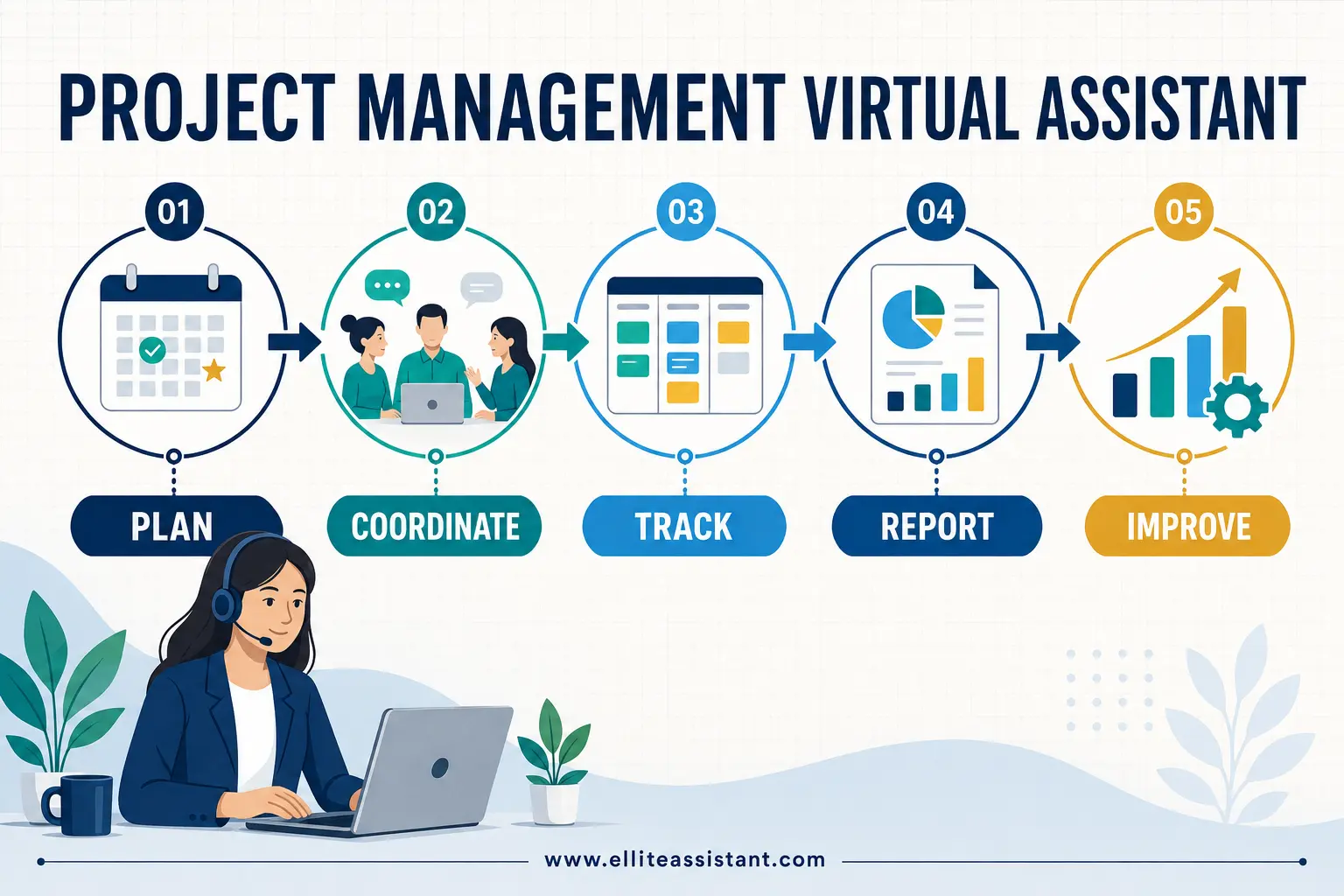
AI-Augmented Virtual Assistants in 2026: How Human + AI Can Deliver 3× Output

An AI-augmented Virtual Assistant combines human judgment and accountability with AI-assisted drafting, analysis and classification, plus automation that moves routine work between systems. In a narrow, repeatable and well-designed workflow, that combination can approach three times the output per VA hour. It is not an automatic result, and it is not a promise that every task will be completed three times faster.
That distinction matters. Research has found meaningful gains on specific tasks: an NBER field study of customer-support workers reported an average productivity increase of about 14%, with larger gains among less-experienced workers; a Science experiment involving professional writing tasks found that generative AI reduced completion time by 40% and increased quality by 18%. Other research shows a “jagged” capability frontier: AI can improve speed and quality when the task suits the tool, but it can also reduce performance when used on the wrong task.
So the real opportunity in 2026 is not to replace a capable assistant with a chatbot. It is to give a capable assistant better leverage—and clear limits.
What is an AI-augmented Virtual Assistant?
An AI-augmented VA is a human professional who uses approved AI and automation tools inside a documented operating process. The assistant still owns the outcome. The technology accelerates parts of the work that are predictable, text-heavy or rules-based.
That is different from both a conventional VA and a standalone AI assistant.
| Model | Best at | Main limitation | Who is accountable? |
|---|---|---|---|
| Traditional Virtual Assistant | Context, coordination, communication and judgment | More time spent on repetitive preparation and system updates | The VA and service provider |
| Standalone AI assistant or agent | Fast drafting, summarising, classifying and pattern matching | Can be confidently wrong, miss context or take an unsuitable action | The business deploying it |
| AI-augmented Virtual Assistant | Combining machine speed with human review, relationship awareness and exception handling | Requires process design, approved tools and ongoing quality control | The VA and service provider, within agreed boundaries |
The most useful question is therefore not, “Can AI do this task?” It is:
For a broader comparison of support models, see AI Assistant vs Virtual Assistant and Virtual Assistant vs Freelancer vs Agency.
Why the human-plus-AI model matters in 2026
AI use is moving from occasional prompting to operating-model design. Microsoft’s 2026 Work Trend Index argues that organisational conditions account for roughly twice the reported AI impact of individual effort. In other words, access to a model is not the differentiator. Clear processes, management support, useful data and the redesign of work are.
Anthropic’s January 2026 Economic Index similarly found that augmentation—people collaborating with AI—represented slightly more than half of Claude.ai conversations, while office and administrative support tasks became a larger share of business API activity. The signal is not that every office role disappears. It is that routine administrative work is increasingly being prepared or routed by software while humans manage quality and exceptions.
This is a natural fit for Virtual Assistant services. A VA already sits across inboxes, calendars, CRM records, documents, customer messages and project boards. With the right controls, the assistant can use AI to make a first pass and automation to eliminate copying—then spend more time on work that requires context.
For a business owner, that can mean:
- Faster response and turnaround times
- Fewer hours lost to copying data between tools
- More consistent first drafts and checklists
- Better coverage of recurring work
- Clearer exception handling
- More VA time available for customers, partners and decisions
It does not mean “the same total cost forever.” AI licences, automation subscriptions, setup, monitoring and maintenance have a cost. The practical aim is greater useful output per paid hour—not a fictional zero-cost operation.
If you’re evaluating staffing models, see Virtual Assistant vs Employee and How to Scale a Business Without Hiring Full-Time Staff.
Does an AI Virtual Assistant really deliver 3× output?
Sometimes, on a specific workflow. Not universally.
The “3×” outcome becomes plausible when five conditions are present:
- The work has enough volume to justify setup.
- Inputs and desired outputs are reasonably consistent.
- The assistant has good templates, examples and source information.
- Low-risk steps can be automated without silent high-impact decisions.
- A human reviews the places where errors would matter.
Consider an illustrative eight-hour weekly reporting and follow-up workflow. This is an example of workflow maths, not a benchmark or performance guarantee.
| Work stage | Manual process | AI-augmented process |
|---|---|---|
| Gather requests and copy data between systems | 3 hr | 30 min |
| Prepare first drafts and summaries | 2 hr 30 min | 45 min |
| Personalise responses and handle exceptions | 1 hr 30 min | 1 hr 15 min |
| Quality check, handoff and reporting | 1 hr | 10 min |
| Total | 8 hr | 2 hr 40 min |
Completing comparable work in two hours and forty minutes is approximately 3× throughput. But notice where the gain comes from: automation removes transfer work, AI prepares drafts, and the VA concentrates human time on verification and exceptions. If the source data is messy, every request is novel or every output needs extensive rewriting, the result will be lower.
The research supports this cautious interpretation. The NBER customer-support study found an average gain of about 14%, rising to roughly 35% for novice and lower-skilled workers. The professional-writing experiment found a 40% time reduction for its set of tasks. Harvard researchers found strong improvements on consulting tasks inside the AI capability frontier, but also recorded worse performance when participants relied on AI outside it.
Those findings are valuable evidence for augmentation. They are not evidence that every VA, client or workflow will produce three times more.
For a related view on task allocation, see Automate, Delegate, or Do It Yourself?.
The HUMAN+ operating model
Businesses need more than a list of tools. They need a repeatable way to divide responsibility. The HUMAN+ model can be used to design an AI-augmented VA workflow:
H — Human defines the outcome and boundaries
Start with the business result, not the prompt. Define what “done” means, which actions the VA can take, what requires approval and what must never be automated.
U — Use approved data and tools
Specify the accounts, source documents, data categories and systems that are permitted. Do not allow confidential business information to drift into unapproved consumer tools.
M — Machine prepares the first pass
AI can classify, extract, compare, summarise or draft. Automation can create records, populate fields, start checklists and notify the right person.
A — Assistant verifies and handles exceptions
The VA checks facts against the source, adjusts for tone and context, resolves unusual cases and escalates higher-risk decisions.
N — Next action is recorded and routed
Approved work is sent, scheduled or moved to the correct system. The activity is logged so the team can see what happened.
+ — Measure and improve
Track speed, acceptance, rework, exceptions and cost. Update the SOP when the workflow changes or a new failure mode appears.
This structure makes AI use auditable. More importantly, it prevents a common failure: allowing a fast draft to masquerade as a finished result.
Six workflows where AI-augmented VA services can create leverage
1. Inbox triage and response drafting
AI can classify messages by topic and urgency, extract dates or reference numbers, and prepare a draft from an approved template. Automation can assign the message or create a task. The VA verifies the facts, rewrites sensitive language and decides whether the issue needs escalation.
Keep human approval for: complaints, contractual commitments, refunds above a defined limit, legal threats, HR matters and emotionally sensitive communication.
2. Research and briefing
An AI virtual assistant can help structure a research plan, group notes, compare options and draft a briefing document. The human VA checks the source, publication date and relevance, removes unsupported statements and explains what the findings mean for the client.
This is a good example of why “AI did the research” is not an adequate control. Models can invent citations or flatten important differences. A source-based verification step must be part of the SOP.
3. CRM administration and lead follow-up
Automation can create or update records, standardise fields and trigger reminders. AI can summarise a call, identify likely intent and prepare a personalised follow-up. The VA checks names, dates, pricing and promises before the message is sent, then handles replies that do not fit the standard sequence.
The result is less data entry and more attentive follow-up—provided the CRM remains the source of truth.
For a focused example, see Virtual Assistant Lead Follow-Up.
4. Meeting notes and action management
AI can turn a transcript into a draft summary, decisions, owners and due dates. The VA compares those items with the conversation, resolves ambiguous ownership and moves approved tasks into the project system. This is faster than rebuilding notes manually, but the transcript should not be treated as perfect evidence.
5. Content repurposing
One approved article, webinar or founder interview can become draft social posts, an email, short summaries and a FAQ. The VA applies the brand voice, checks claims, removes repetition and adapts each item to the channel. The multiplier comes from reusing a verified source, not asking AI to manufacture expertise.
6. Customer-support knowledge operations
AI can suggest a reply from an approved knowledge base, group recurring questions and flag gaps in help content. The VA checks account details and policy, sends or revises the response, and documents new edge cases. Repeated issues can then improve the knowledge base and the next round of drafts.
This is where the learning loop matters: better source material produces better assistance, but only if someone owns the source material.
For a long list of concrete delegation ideas, see 50 Tasks to Delegate to a Virtual Assistant.
What each tool should—and should not—do
AI-augmented VA services often use products such as ChatGPT, Claude, Zapier and Make. The brand names are less important than the responsibility assigned to each layer.
| Layer | Appropriate role | Unsafe assumption | Essential control |
|---|---|---|---|
| ChatGPT, Claude or another approved model | Draft, summarise, classify, compare and extract | The answer sounds confident, so it is correct | Source checks, approved account settings, prompts and human review |
| Zapier, Make or another automation platform | Move fields, trigger tasks, create notifications and run repeatable steps | If it runs automatically, it is reliable | Error alerts, retry rules, exception queue and change control |
| CRM, help desk or project system | Hold the current record, status, owner and audit trail | The AI chat is the source of truth | Required fields, permissions, data hygiene and activity logs |
| Human Virtual Assistant | Interpret context, verify output, communicate and resolve exceptions | The human only presses approve | Clear authority, training, capacity and accountability |
An AI-augmented VA should be able to explain the workflow without hiding behind technical language: where information comes from, what the model does, what the automation changes, what the assistant checks, and what reaches the client for approval.
Where human approval should remain mandatory
Speed should not outrank consequence. Most businesses should keep a human approval gate for:
- Payments, bank-detail changes and financial commitments
- Refunds, credits or price exceptions above agreed limits
- Legal, tax, medical, HR or employment-related communication
- Hiring, rejection, discipline or performance decisions
- Deletion, bulk edits or irreversible system actions
- Publishing high-visibility claims or sensitive announcements
- Bulk outbound campaigns
- Any message involving conflict, distress or significant reputational risk
For lower-risk recurring tasks, the approval rule can become more flexible after a monitored pilot. For example, a VA might progress from reviewing every draft to sampling routine messages while still reviewing every exception. That change should be deliberate, documented and reversible.

Data protection and governance for an AI-augmented VA
Adding AI and automation introduces more data-handling questions, not fewer. Before a VA uses any tool with business information, confirm the actual product plan, contract and settings. Vendor policies can differ between consumer and business versions and can change over time.
A sensible minimum control set includes:
- Approved accounts only. Business work should take place in accounts selected and administered by the business or service provider.
- Data classification. Define what is public, internal, confidential, restricted or prohibited from AI processing.
- Least-privilege access. Give the VA and each automation only the permissions needed for the workflow.
- Retention and training settings. Check whether inputs or outputs are retained and whether they may be used to train a model.
- Prompt and template library. Standardise recurring instructions, required sources and output formats.
- Source verification. Require the VA to compare names, dates, amounts, commitments and factual claims with an authoritative record.
- Logs and exception alerts. Keep enough history to investigate a mistake and make automation failures visible.
- Removal and offboarding. Revoke accounts, tokens, shared links and integrations when access is no longer needed.
How to measure useful output—not AI activity
Counting prompts or generated words tells you almost nothing about business value. A useful dashboard should compare a baseline with the AI-augmented workflow using measures such as:
- Cycle time: Time from request to usable completion
- Output per paid hour: Comparable completed units per VA hour
- First-pass acceptance: Percentage approved without material changes
- Rework and error rate: Time or cases requiring correction
- Exception rate: Percentage routed to human judgment
- Human review time: Minutes spent verifying each output
- Business outcome: Reply rate, conversion, resolution time or customer satisfaction
- Total workflow cost: VA time plus software, setup and maintenance
The last measure protects against false efficiency. If a workflow saves two hours but introduces subscriptions, maintenance and avoidable corrections worth more than those hours, it has not improved the business.
An initial target should be a stable improvement with acceptable quality—not “3× or failure.” Once the workflow is reliable, refine it. The largest gains often come from removing one repeated handoff at a time.
For help choosing what to delegate first, see What Every Entrepreneur Should Outsource First.
A 30-day pilot plan for an AI virtual assistant in 2026
Days 1–5: Choose one workflow and record the baseline
Pick a recurring task with moderate volume, clear inputs and a low consequence of delay. Record how long it takes, how much rework occurs and what a satisfactory output looks like. Avoid beginning with payroll, legal commitments or a highly emotional customer queue.
Days 6–10: Map the workflow and approval points
Document the source systems, steps, owners and exceptions. Decide which work AI may prepare, which movement may be automated and which actions require approval. Create two or three examples of acceptable output.
Days 11–17: Run in supervised mode
The VA uses the new workflow, but a designated reviewer checks every output. Record unsupported claims, tone problems, missed fields, automation errors and edge cases. Do not hide failures; turn them into rules.
Days 18–24: Tighten prompts, SOPs and exception rules
Remove unnecessary steps, strengthen the source-check checklist and define what should be escalated. If the VA repeatedly rewrites the same section, improve the template rather than accepting permanent rework.
Days 25–30: Compare and decide
Compare speed, quality, cost and outcomes with the baseline. Choose one of four decisions: expand, continue the pilot, redesign or stop. A workflow that cannot be made reliable should remain human-first.

For a step-by-step hiring and onboarding guide, see How to Hire a Virtual Assistant.
Questions to ask an AI-augmented VA service
Before choosing a provider, ask for operational answers rather than generic claims:
- Which parts of my proposed workflow would use AI, automation or human work?
- Which specific tools and account types would be used?
- What data is prohibited from those tools?
- Who reviews factual claims, pricing, names and commitments?
- Which actions always require my approval?
- How are automation errors and unusual cases surfaced?
- Where is the official record kept?
- What metrics will compare the pilot with my current process?
- Who owns the prompts, templates, workflows and business data?
- What happens to access and integrations when the engagement ends?
Is an AI-augmented Virtual Assistant right for your business?
The model is a strong fit when your team has repeatable administrative work, too many manual handoffs and enough examples to define quality. It is less suitable when every task is unique, the data is unreliable, the required decision is highly consequential or no one can verify the output.
The best starting point is usually modest: one process, one baseline, one accountable assistant and one month of measured learning.
Ellite Assistant can help you identify a low-risk workflow, document the boundaries and test an AI-enabled approach with human oversight. Book a consultation to discuss what should be accelerated—and what should remain human.
For small businesses evaluating support options, see Hire a Virtual Assistant for Small Business.
Frequently asked questions
What is an AI virtual assistant in 2026?
The term can describe software or a human service, so clarify it before buying. In this article, an AI virtual assistant is a human VA who uses approved generative AI and automation inside a documented workflow, with human verification and escalation rules.
Are AI-augmented VA services the same as AI agents?
No. An AI agent is software designed to pursue steps toward an objective. AI-augmented VA services put a human professional in the operating loop. The assistant owns context, quality, communication and exceptions; software accelerates suitable parts of the process.
Can a ChatGPT Virtual Assistant replace a human VA?
ChatGPT can accelerate drafting, summarising, classification and analysis. It cannot reliably assume the full accountability, relationship context and judgment of a trained human assistant. It may also produce inaccurate or unsupported output. For consequential work, use it as an aid within a controlled process.
Which tasks are best for Virtual Assistant automation?
The strongest candidates are repetitive, high-volume tasks with clear inputs, stable rules, measurable outputs and low-risk automated steps. Examples include inbox triage, CRM updates, meeting action capture, first-draft follow-up and content repurposing from an approved source.
Does AI reduce the cost of a Virtual Assistant?
It can reduce the human time required for a defined unit of work, but total cost also includes software, setup, monitoring and maintenance. Measure total workflow cost and usable output—not just hours saved.
Is 3× output guaranteed?
No. Three-times output is an achievable illustration for some narrow, repeatable workflows, not a universal benchmark or Ellite Assistant guarantee. Results depend on task fit, source quality, volume, tools, process design and the amount of human review required.
How should a business protect data when a VA uses AI?
Use approved business accounts, classify data, restrict access, check retention and training settings, maintain logs, verify important outputs and document offboarding. Obtain legal or compliance advice for regulated and highly sensitive data.
For more on costs and pricing, see How Much Does a Virtual Assistant Cost in the USA in 2026?.
The competitive advantage is not AI alone
By 2026, access to generative AI is common. The advantage comes from knowing where to use it, how to verify it and when to stop it.
An AI-augmented Virtual Assistant can remove repetitive preparation, keep routine work moving and give a business more human attention where it matters. In the right workflow, that may approach 3× output. In the wrong workflow, it may simply produce mistakes faster.
The winning model is not human or AI. It is a capable human, a controlled toolset and an operating process designed around useful outcomes.
Sources and methodology
This article distinguishes measured research findings from illustrative workflow examples. The 8-hour-to-2-hour-40-minute scenario is not a research result or guarantee.
- Erik Brynjolfsson, Danielle Li and Lindsey Raymond, “Generative AI at Work,” National Bureau of Economic Research.
- Shakked Noy and Whitney Zhang, “Experimental Evidence on the Productivity Effects of Generative Artificial Intelligence,” Science.
- Fabrizio Dell’Acqua et al., “Navigating the Jagged Technological Frontier,” Harvard Business School.
- Microsoft, “2026 Work Trend Index: Agents, Human Agency, and the Opportunity for Every Organization”.
- Anthropic, “The Anthropic Economic Index, January 2026”.
- MIT Sloan, “When Humans and AI Work Best Together—and When Each Is Better Alone”.
Editorial note: AI products, plans, settings and vendor policies change. Verify current terms before implementation. This article provides general operational information, not legal, privacy, security or financial advice.