AI Assistant vs. Virtual Assistant: What Growing Businesses Should Automate - and What Still Needs a Human

Imagine it is 6:12 p.m. A customer has written for the third time. An AI tool has already drafted a polished reply. It sounds professional. It is also wrong.
The draft misses a promise made on an earlier call, offers a solution outside company policy and treats a frustrated long-term customer like a first-time enquiry. The words are ready. The situation is not resolved.
This is where the debate about an AI assistant versus a virtual assistant often goes off course. AI can create an output in seconds. A capable virtual assistant can understand the history, check the rules, ask the right person, adjust the tone and make sure the issue reaches a real conclusion.
One accelerates work. The other can take responsible ownership of it.
For a one-person business, that difference protects the founder's time and reputation. For a growing team, it prevents routine work from disappearing between departments. For a larger business, it adds a human coordination layer across customers, systems and internal teams.
The best answer is rarely “AI or a virtual assistant.” It is knowing what to automate, what to delegate and what should remain under direct human control.
The short answer: AI assistant or virtual assistant?
Use an AI assistant for fast, repeatable, low-risk work: summarising information, creating first drafts, sorting data, transcribing meetings and spotting patterns.
Use a human virtual assistant when work depends on context, judgment, relationships, exceptions or follow-through: customer communication, lead follow-up, calendar coordination, CRM ownership, vendor communication, bookkeeping preparation and operational support.
Use both together when AI can make the first step faster but a person still needs to check the work, understand the situation, take action and remain accountable for the result.
That final category is where many businesses gain the most leverage.
What is an AI assistant?
An AI assistant is software that uses artificial intelligence to respond to instructions, generate or transform content, analyse information or complete parts of a workflow. Depending on the tool and its permissions, it may draft emails, summarise documents, extract data, classify enquiries or help a user research a topic.
AI is especially useful when the task has:
- A clear input and output
- A repeatable pattern
- Enough good information to work from
- A low cost of error
- A human who can review the result when necessary
AI does not “know” a business in the same way a trusted colleague does. It works from the context, data, rules and access it is given. A convincing answer can still be incomplete or incorrect. That is why speed should never be confused with ownership.
What is a virtual assistant?
A virtual assistant (VA) is a remote professional who supports a business with administrative, operational, customer, sales, marketing, bookkeeping or executive-assistance work.
A VA may manage an inbox, coordinate a calendar, update a CRM, prepare reports, follow up with leads, organise documents, support customers or keep recurring tasks moving across several tools and people.
The value is not simply that a human performs a task. A good VA builds working context over time:
- Which customer needs a gentler response
- Which lead should be followed up today
- Which meeting can move and which cannot
- Which numbers need to be checked before a report is sent
- Who must approve an exception
- What “done properly” looks like inside the business
That accumulated understanding is what turns assistance into continuity.
AI assistant vs. virtual assistant: the practical difference
| Question | AI assistant | Human virtual assistant | Hybrid approach |
|---|---|---|---|
| What is it best at? | Speed, volume, pattern-based work and first drafts | Context, judgment, communication and follow-through | Efficient execution with human quality control and ownership |
| How does it handle ambiguity? | Needs clear instructions and reliable context | Can ask questions, investigate and adapt | AI proposes; the VA checks and resolves |
| Can it build relationships? | Can support communication but does not form a human working relationship | Learns preferences and communicates with customers, leads and teams | AI prepares information; the VA manages the relationship |
| What happens when something unusual occurs? | May fail, guess or require a rule it was not given | Can recognise the exception and escalate it | AI flags patterns; the VA decides the next step within agreed authority |
| Who owns the outcome? | The person or business operating the tool | The VA within a defined role and escalation process | Human ownership supported by automation |
| Where is it most useful? | Repeatable, low-risk work | Context-heavy, relationship-based or multi-step work | Recurring workflows that still require human supervision |
The cheapest or fastest option is not automatically the most efficient. The real cost of work includes corrections, delays, missed follow-ups, customer frustration and the time a manager spends checking what should already have been completed.
The hidden question is not “Who can do the task?”
It is “Who will notice what happens next?”
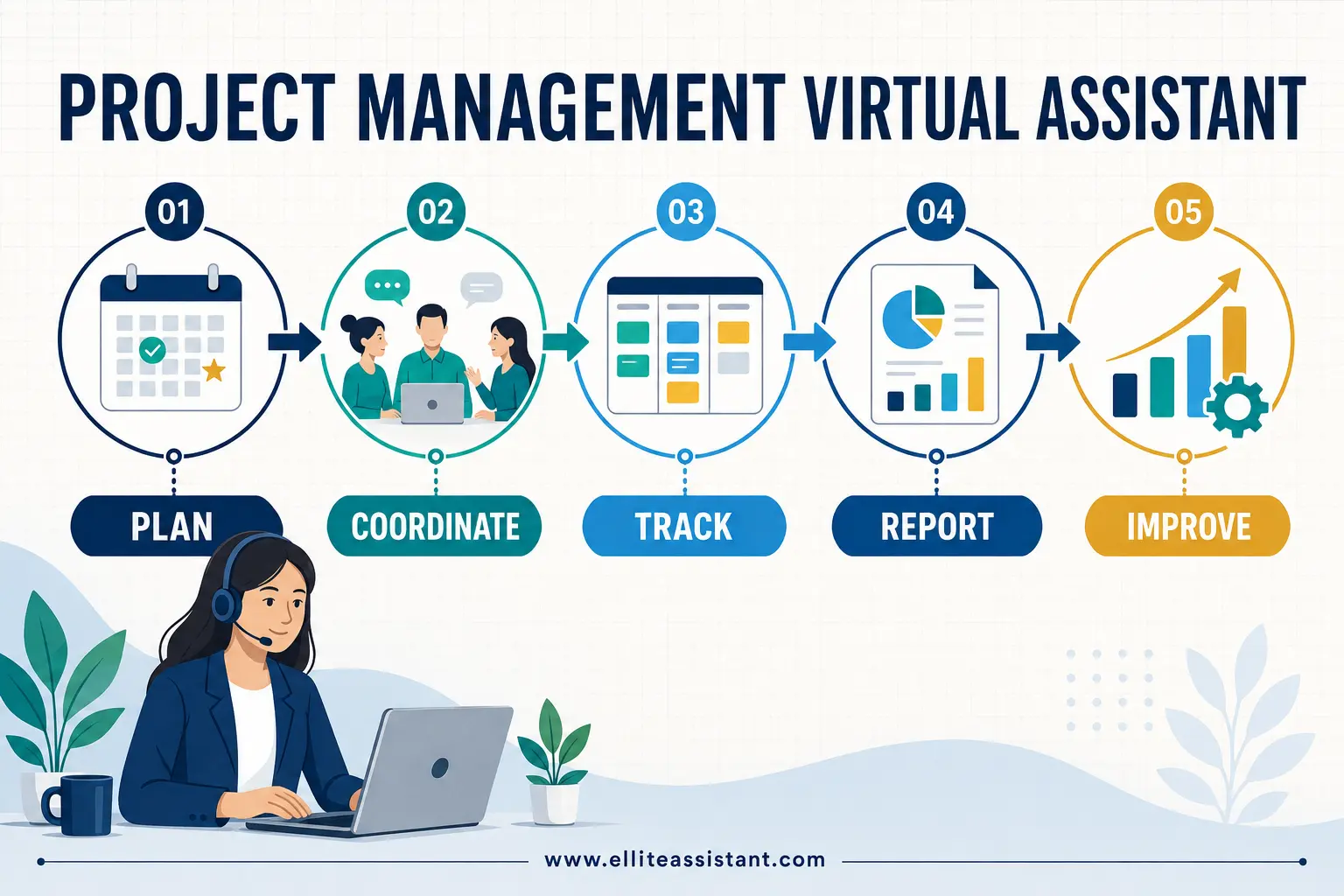
An AI tool can draft a meeting summary. A virtual assistant can turn that summary into assigned actions, chase the missing information, update the project board and remind the owner before a deadline slips.
An AI tool can write a follow-up email. A virtual assistant can see that the lead opened the proposal, remember the pricing question from the last call, choose an appropriate time to respond and update the CRM after the conversation.
An AI tool can categorise an invoice. A bookkeeping VA can check that the document belongs to the right supplier, request missing information and prepare the records for review according to the business's process.
This is the difference between producing something and carrying work across the finish line.
What should a business automate with AI?
AI is a strong fit for tasks that are repeatable, information-heavy and easy to verify.
1. First drafts
AI can create a starting point for routine emails, social captions, meeting agendas, job descriptions and internal instructions. The draft should still be checked for accuracy, tone and promises the business is not authorised to make.
2. Summaries and extraction
Long documents, meeting notes and research can be condensed into key points. AI can also pull structured details from consistent documents, provided the source material can be used safely and the output is reviewed where accuracy matters.
3. Sorting and classification
Enquiries can be grouped by topic, messages can be prioritised and records can be tagged. This reduces manual triage, but the rules and edge cases still need supervision.
4. Repetitive transformations
AI can turn notes into a checklist, adapt a long update into shorter versions or reformat information for another system. It is useful when the desired format is clear.
5. Pattern spotting
With appropriate data and controls, AI can help identify recurring customer questions, common delays or gaps in a workflow. A person must still decide what those patterns mean and what action the business should take.
The U.S. Chamber of Commerce reported in 2025 that 58% of surveyed small businesses said they used generative AI, up from 40% in 2024. Importantly, 82% of the small businesses using AI also said they had increased their workforce over the previous year. The findings do not prove that AI caused the hiring, but they challenge the idea that technology and people must move in opposite directions. Often, technology creates more capacity while people turn that capacity into service and growth.
What should a business delegate to a virtual assistant?
Delegate the work that needs a person to maintain context, protect relationships and keep several moving parts aligned.
1. Customer and client communication
A VA can work from approved guidelines while noticing tone, history and urgency. They can answer routine questions, gather missing information and escalate situations that require specialist or managerial judgment.
2. Lead follow-up and CRM ownership
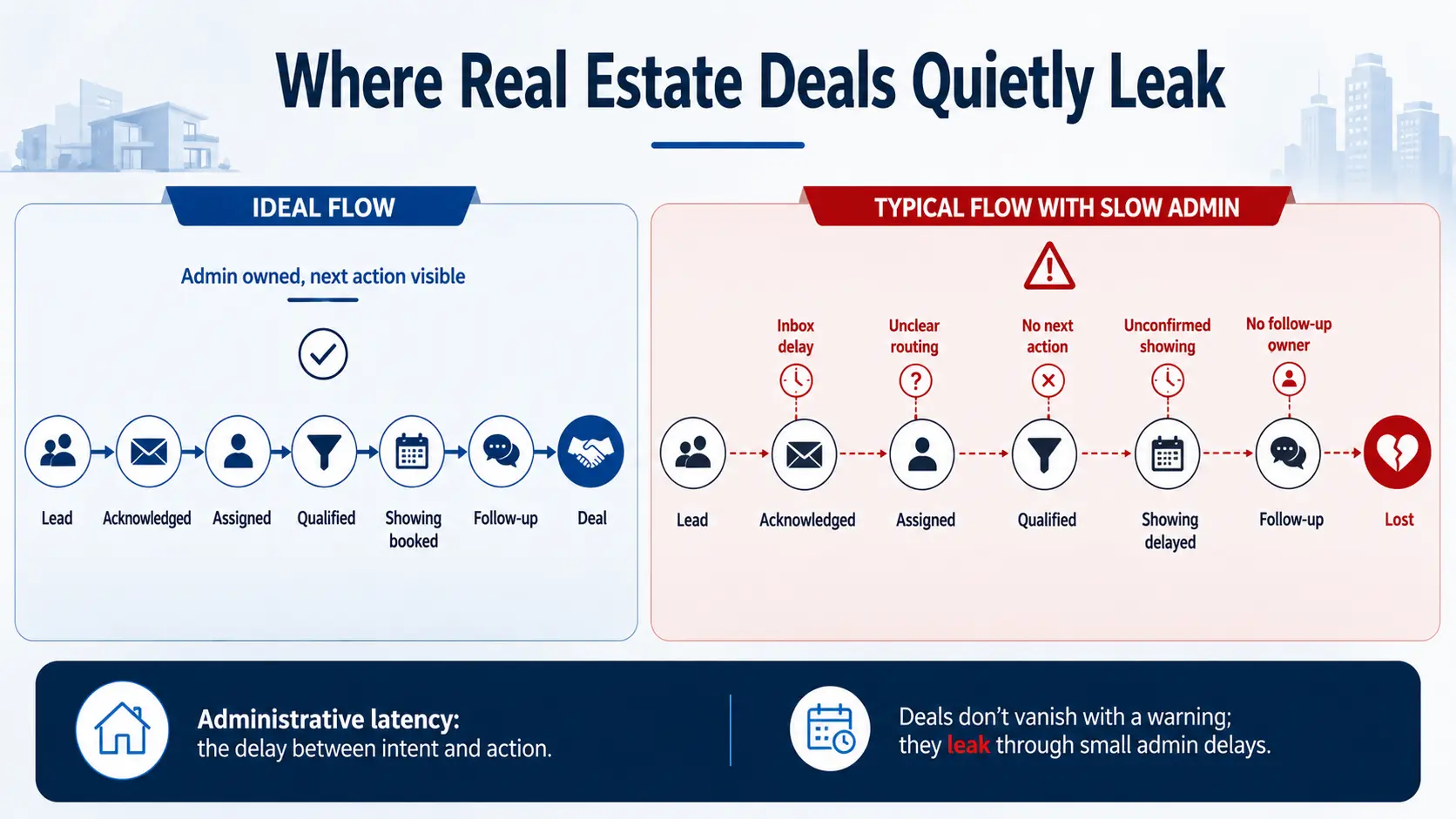
Sales opportunities are often lost through inconsistency, not a lack of interest. A VA can keep records current, schedule next steps, prepare context before calls and make sure qualified leads do not disappear after the first conversation.
3. Calendar and meeting coordination
Scheduling is rarely just finding an empty slot. It includes priorities, time zones, travel, preparation and the consequences of moving one commitment. A VA learns those preferences and manages the trade-offs.
4. Multi-step operational work
Tasks such as onboarding a customer, coordinating a supplier or publishing approved content may cross email, documents, forms and project-management tools. A VA can move the work between systems and confirm that each stage is complete.
5. Quality control of AI-assisted work
A trained VA can use AI to work faster, then verify the result against source material, brand standards and the actual purpose of the task. This matters because a fluent answer is not always a correct one.
6. Bookkeeping preparation and document organisation
A VA can gather records, follow up for missing documents, organise files and prepare information for the appropriate finance professional. Final accounting decisions and regulated work should remain with qualified people.
7. Ongoing administrative support
Inbox management, reporting, data updates, research and document preparation become more valuable when one person understands how they connect. The VA is not simply completing isolated tickets; they are helping the operating rhythm remain intact.
If you need a broader task list, see 50 Tasks to Delegate to a Virtual Assistant—and What to Keep.
Use the 4C Test before you automate or delegate
Before assigning a task, ask four questions.
1. Context
Does the task require knowledge of previous conversations, customer history, unwritten preferences or several systems?
If yes, a human should remain involved.
2. Consequence
What happens if the answer is wrong, late or sent to the wrong person?
The higher the financial, legal, reputational or customer impact, the stronger the need for qualified human review and clear approval limits.
3. Care
Does the work affect a relationship, a sensitive situation or someone's trust in the business?
Empathy is not decorative. In customer service, recruitment, healthcare-adjacent administration and high-value sales, how a message is handled can matter as much as what it says.
4. Continuity
Will someone need to remember the issue, follow up later or coordinate the next step?
If the task continues across hours, days or people, assign a human owner even when AI helps with individual steps.
As a simple guide:
- Low context, low consequence, low care, low continuity: consider AI automation.
- A mix of repeatable work and human judgment: let a VA use AI under an agreed process.
- High scores across several Cs: keep a trained human, manager or specialist in control.
The 4C Test is not a compliance assessment. It is a practical way to avoid automating a task simply because automation is available.
The strongest model is a three-layer operating system
Growing businesses can organise work in three layers:
Layer 1: AI processes information
It summarises, drafts, sorts, transcribes or identifies patterns.
Layer 2: A virtual assistant manages the workflow
The VA verifies information, communicates with people, updates systems, follows through and escalates exceptions.
Layer 3: A leader or specialist makes consequential decisions
The owner, manager, accountant, lawyer, clinician or other qualified professional retains decisions that require authority, regulated expertise or strategic accountability.
This structure prevents two common failures. The first is making the owner review every small detail. The second is allowing software to act beyond the level of risk the business can responsibly accept.
Microsoft's 2026 Work Trend Index reached a similar broader conclusion: as AI takes on more execution, judgment, quality control, critical thinking and the design of work become more important—not less. In Microsoft's survey of 20,000 AI-using workers across ten countries, 66% said AI allowed them to spend more time on high-value work. The opportunity is real, but it depends on people who can set direction and take responsibility for how the output is used.
What the model looks like at different business sizes

Solo founder or microbusiness
The founder is usually the strategy, sales and escalation point. A VA can become the first reliable operating layer: protecting the calendar, maintaining the CRM, handling recurring administration and using approved AI tools for faster drafts or summaries.
The goal is not to imitate a large company. It is to stop the founder from being the only route through which every task must pass.
For more on building capacity carefully, read How to Scale a Business Without Hiring Full-Time Staff.
Small and growing business
As the team grows, work begins to fall between roles. Sales assumes operations will follow up. Operations assumes the owner approved the request. Customer support cannot see the notes from the last call.
A VA can own the connective work: preparing information, updating systems, coordinating handoffs and ensuring deadlines survive the space between departments.
Mid-sized or larger organisation
At scale, a virtual assistant is less about “helping with small tasks” and more about protecting management capacity. VAs or remote professionals may support executives, sales teams, customer operations, marketing or finance functions with defined permissions, service levels and escalation routes.
For leadership support specifically, explore Ellite Assistant's Executive Assistant service.
AI can increase the volume each person handles, but governance becomes more important as access and consequences grow. Larger organisations should define approved tools, data rules, human review requirements and role-based permissions before scaling AI-assisted workflows.
The importance of human assistance does not disappear as a company becomes larger. It changes shape—from relieving the founder to creating dependable coordination across the organisation.
A realistic hybrid workflow: one customer enquiry
Consider a customer asking why an order or project is late.
- AI classifies the message as a delivery issue and produces a short summary.
- The VA reviews the customer's history, checks the latest operational status and notices that the customer has already contacted the business.
- AI creates a first draft using the approved tone and policy.
- The VA corrects the details, removes any unsupported promise and sends the response within their authority.
- The VA updates the CRM or project record, assigns the operational action and sets a follow-up date.
- A manager handles the exception if compensation, a contractual commitment or a sensitive decision is required.
- The VA closes the loop with the customer after the internal action is complete.
AI made several steps faster. The VA prevented the workflow from becoming a collection of disconnected outputs.
How to build a human-plus-AI workflow in 30 days
Week 1: Observe the real work
Track recurring tasks, delays, rework and follow-ups for one week. Do not begin with a list of tools. Begin with where time and trust are being lost.
Week 2: Choose one low-risk workflow
Select a process with clear boundaries, such as meeting preparation, CRM cleanup or routine inbox triage. Define the expected outcome, source of truth and situations that require escalation.
Week 3: Assign ownership
Decide what AI may do, what the VA must check, who can approve exceptions and where progress will be recorded. Give access only to what is necessary for the role.
Week 4: Review the result
Measure whether the workflow became more reliable, not merely faster. Look at response time, completion rate, corrections, missed handoffs and the number of times the owner had to intervene.
Then expand one workflow at a time.
The U.S. Small Business Administration advises businesses adopting AI to start small and test whether a tool adds real value. That is sensible advice for delegation too: a contained, real-world trial reveals more than an ambitious system that nobody follows.
Common mistakes to avoid
Automating a broken process
AI can make a confused process move faster without making it better. Clarify the desired outcome and source of truth first.
Treating the VA as a task inbox
If a VA receives isolated instructions with no priorities, authority or context, the owner remains the bottleneck. Share the reason behind recurring work and define what the VA may decide independently.
Giving broad access too soon
Use separate accounts, role-based permissions, two-factor authentication and documented access procedures. Expand access only when it is necessary and justified.
Measuring activity instead of outcomes
Twenty emails sent is not automatically valuable. Track whether customers received accurate answers, leads reached a next step and records remained complete.
Removing human review from sensitive work
Financial, legal, employment, medical, security and contractual matters may require qualified oversight. AI and a VA can support the process without replacing the responsible professional.
The deeper value of a virtual assistant
Most owners do not need another stream of notifications. They need someone to hold a piece of the business with care.
That means remembering, checking, following up and noticing when the ordinary process no longer fits the situation. It means protecting a customer's confidence when something has gone wrong. It means creating enough operational calm for a leader to think beyond the next urgent message.
AI can help a business move faster. A good virtual assistant helps it move with continuity.
When the two are designed to work together, the result is not a company with fewer people or more software. It is a company where technology handles suitable repetition, people use judgment where it matters, and leaders are no longer required to carry every unfinished task in their heads.
That is what scalable support really looks like.
Frequently asked questions
Is an AI assistant the same as a virtual assistant?
No. An AI assistant is software that generates, analyses or processes information. A virtual assistant is a remote human professional who can understand context, communicate with people, manage workflows and take responsibility within an agreed role.
Will AI replace virtual assistants?
AI will change how many virtual assistants work by accelerating drafting, research, summarising and routine processing. It is less suited to replacing human judgment, relationship management, exception handling and end-to-end ownership. The strongest VAs will increasingly know how to use approved AI tools responsibly.
Which is more cost-effective: AI or a virtual assistant?
It depends on the work. AI may be more efficient for high-volume, repeatable tasks with clear rules. A VA may be more cost-effective when errors, missed follow-ups, customer relationships or cross-system coordination would otherwise consume management time. Compare the total outcome, not only the hourly or subscription price.
What tasks should a small business give to AI first?
Start with low-risk tasks that are easy to verify: meeting summaries, first drafts, internal checklists, content repurposing and basic classification. Do not begin with sensitive decisions or unsupervised customer promises.
What tasks should a small business delegate to a VA first?
Good starting points include inbox and calendar management, CRM updates, lead follow-up, customer-support administration, research, reporting and document organisation. Choose recurring tasks with a clear definition of “done.”
Can a virtual assistant use AI tools for my business?
Yes, if the tools, data use, permissions and review process are approved by the business. Agree in advance which tools may be used, what information may be entered and which outputs require human verification.
Are virtual assistants only useful for small businesses?
No. Small businesses often use VAs to relieve founder overload. Larger businesses use remote professionals for executive assistance, sales support, customer operations, marketing coordination, reporting and other structured roles. The scope, permissions and governance should grow with the organisation.
How do I know whether my business needs a virtual assistant?
Look for recurring work that is necessary but inconsistent, customer or lead follow-ups that are slipping, important information spread across systems and managers spending too much time coordinating routine tasks. Those are signs that the business needs a reliable human owner for part of the workflow.
Ready to build a more dependable workflow?
You do not need to replace your tools or redesign the whole company at once. Start with one recurring process that is taking too much attention and decide what can be automated, what should be delegated and where human approval must remain.
Book a 15-minute consultation to discuss the work slowing your business down.
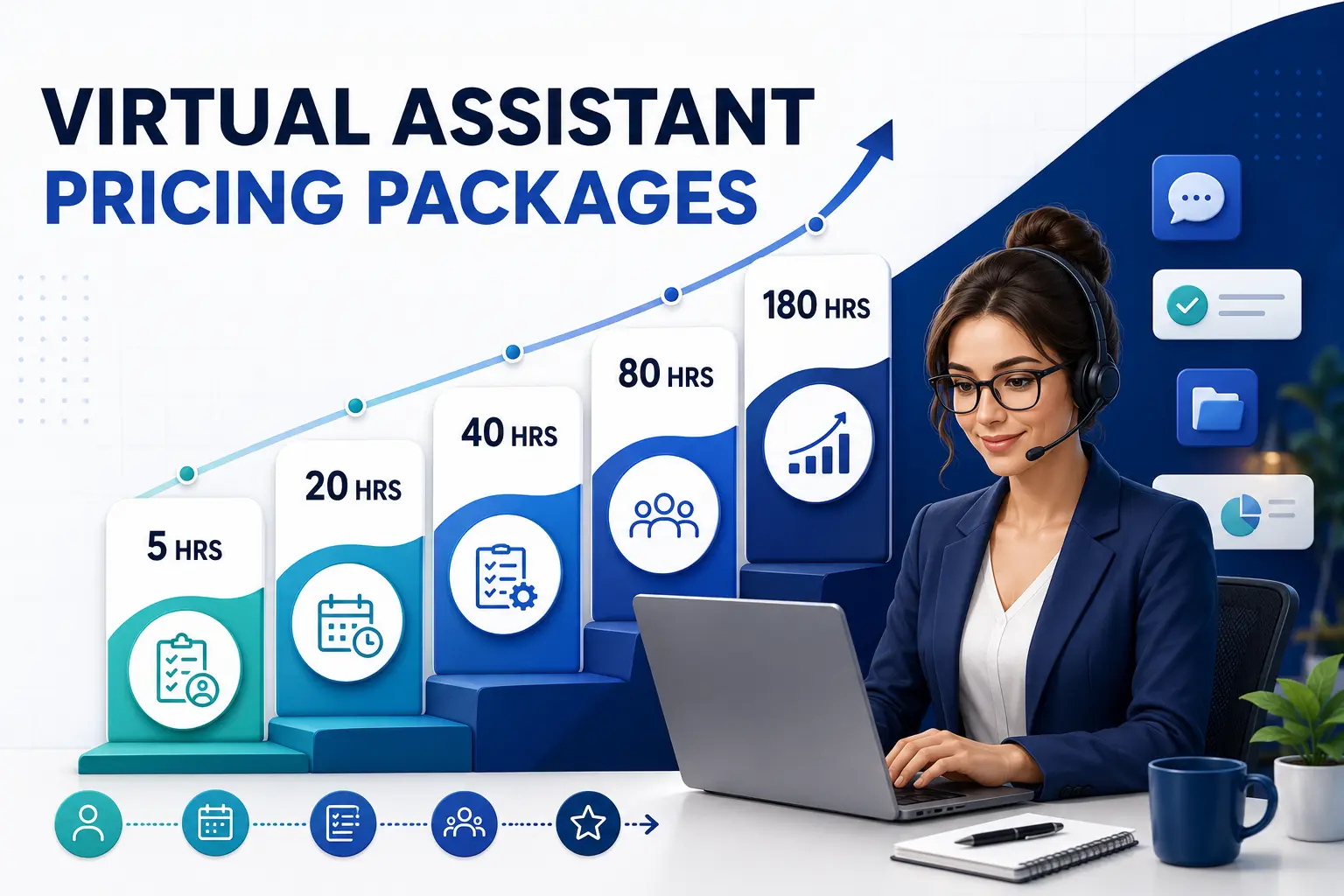
Or experience the process through Ellite Assistant's 7-day trial for $49, which includes five total hours of virtual-assistant support, subject to current eligibility and terms.
We take care of the tasks. You focus on growing your business.
Sources